
Your flying career on one page: milestones and hour marks
Career puts your converted hours, checkrides, upgrades and hour marks on one timeline, and shows when you will reach the next mark at your current pace.
Ask a pilot when they crossed 1,000 hours of PIC and most would have to go digging. The answer is already in their records. Career in ProvenFlight lays it out on one page.
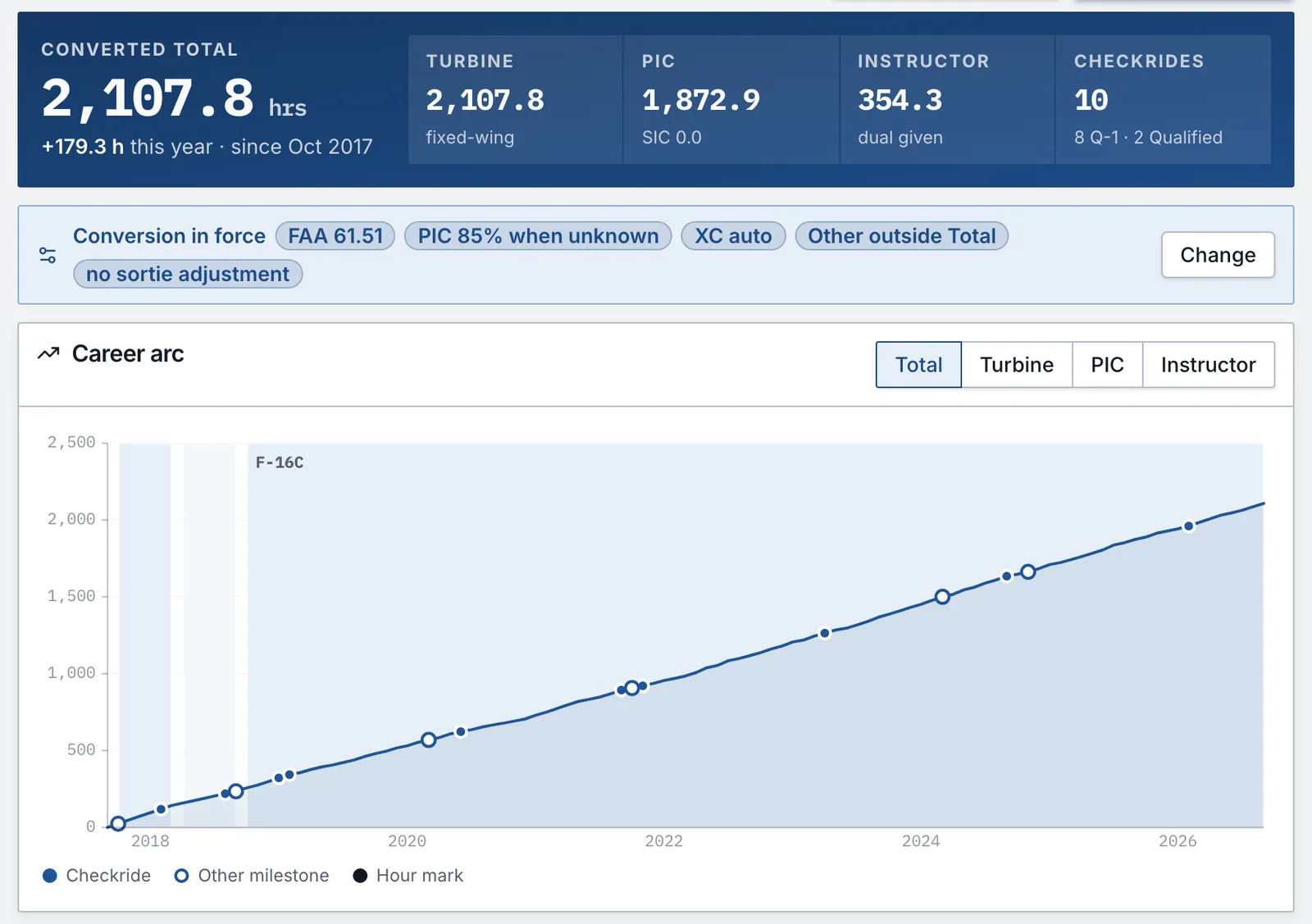
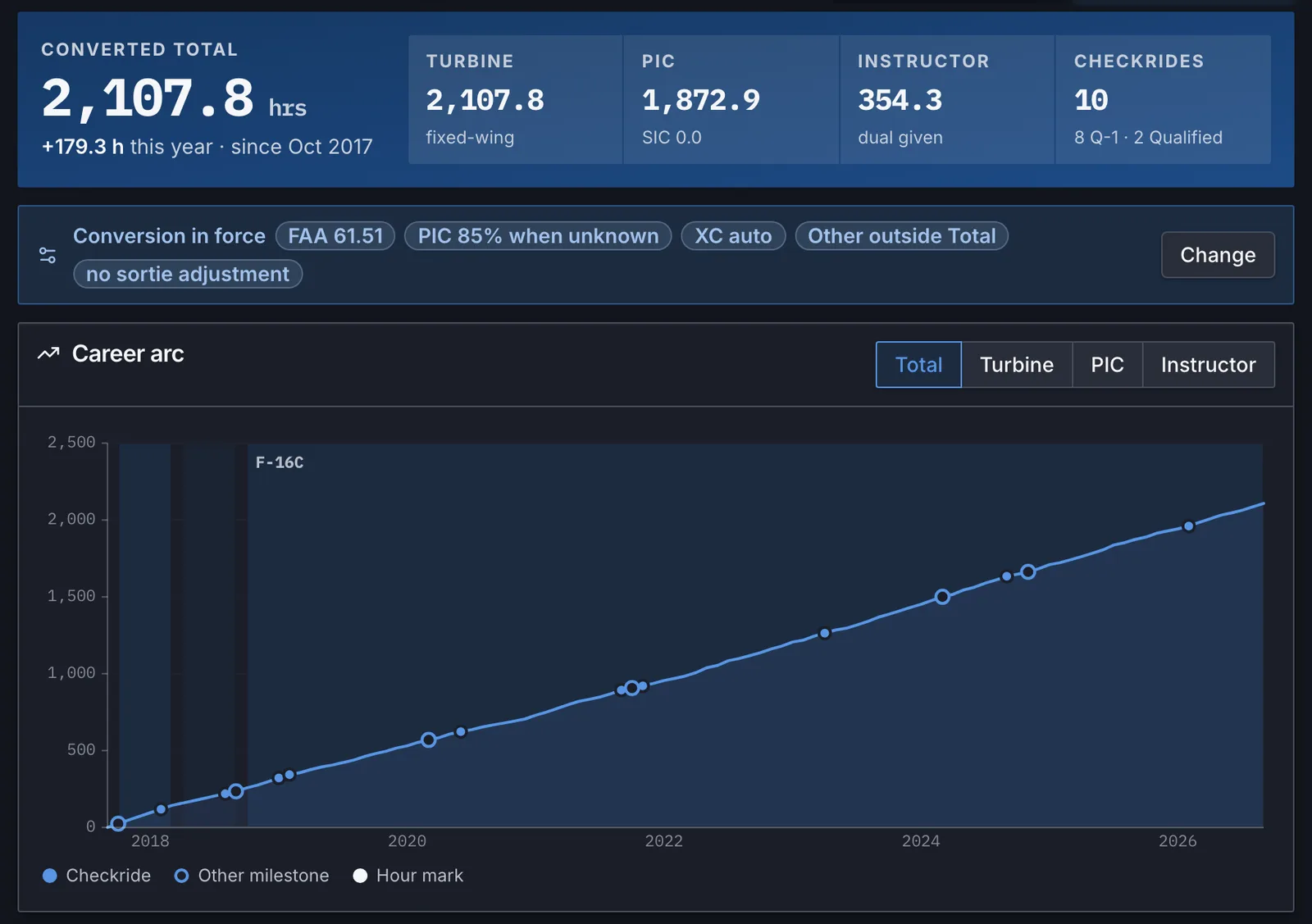
What's on it
- Your converted total with turbine, PIC and instructor time and your checkride count. The chips underneath show which conversion settings are in force.
- A career arc you can switch between total, turbine, PIC and instructor hours, with checkrides, milestones and hour marks along the line.
- A timeline of the aircraft you flew, your upgrades, hour marks and checkrides.
- Hours by year, split into PIC, SIC and other time.
Where the milestones come from
Checkrides and certifications come from the evaluation and qualification records you import or add. First flights and hour marks come from your flights: your first flight, your first flight in each type, and the day you crossed each hour mark.
Records don't always agree with each other. If a date calculated from your flights is wrong, pin the right one. If something doesn't belong, hide it.
The next mark
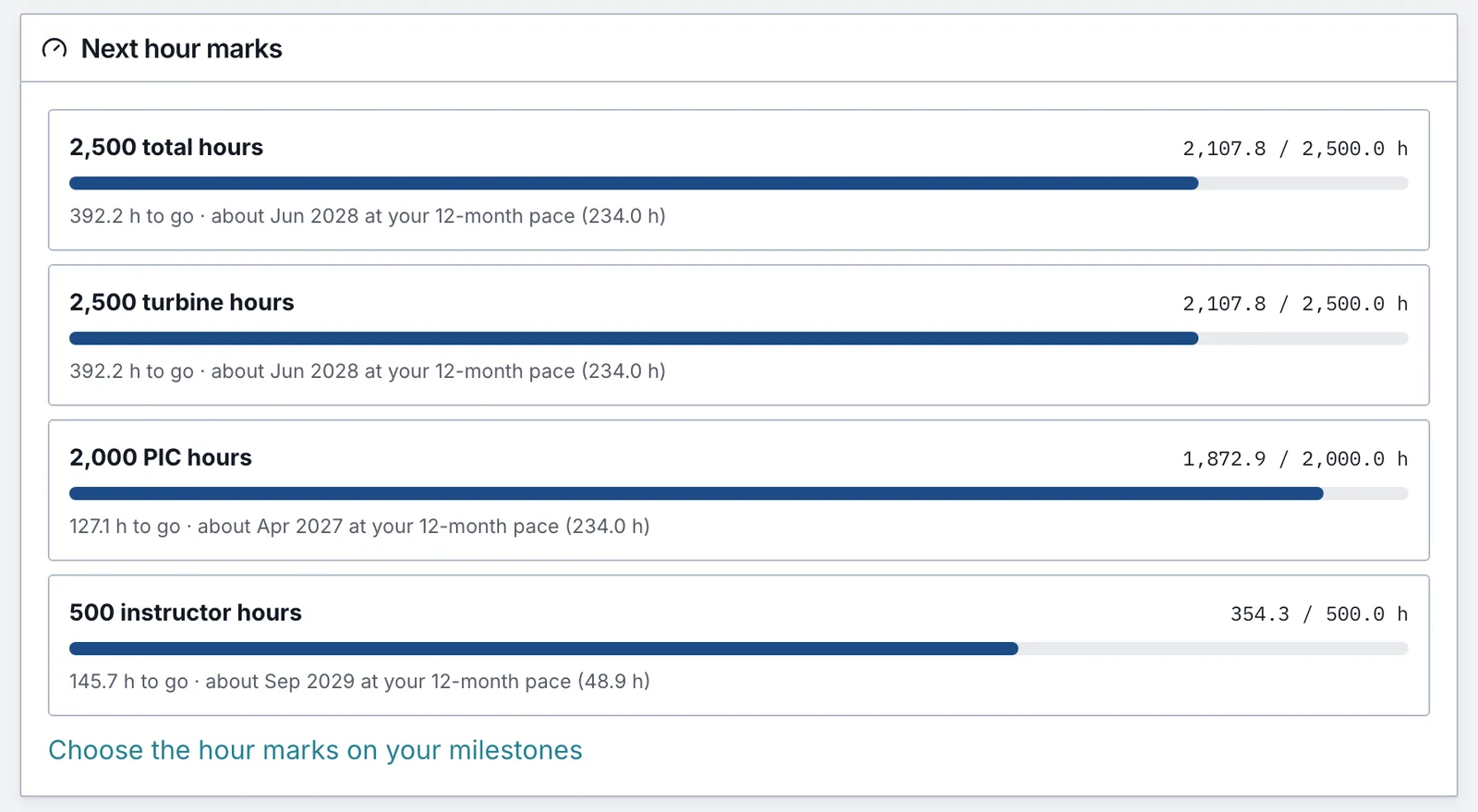
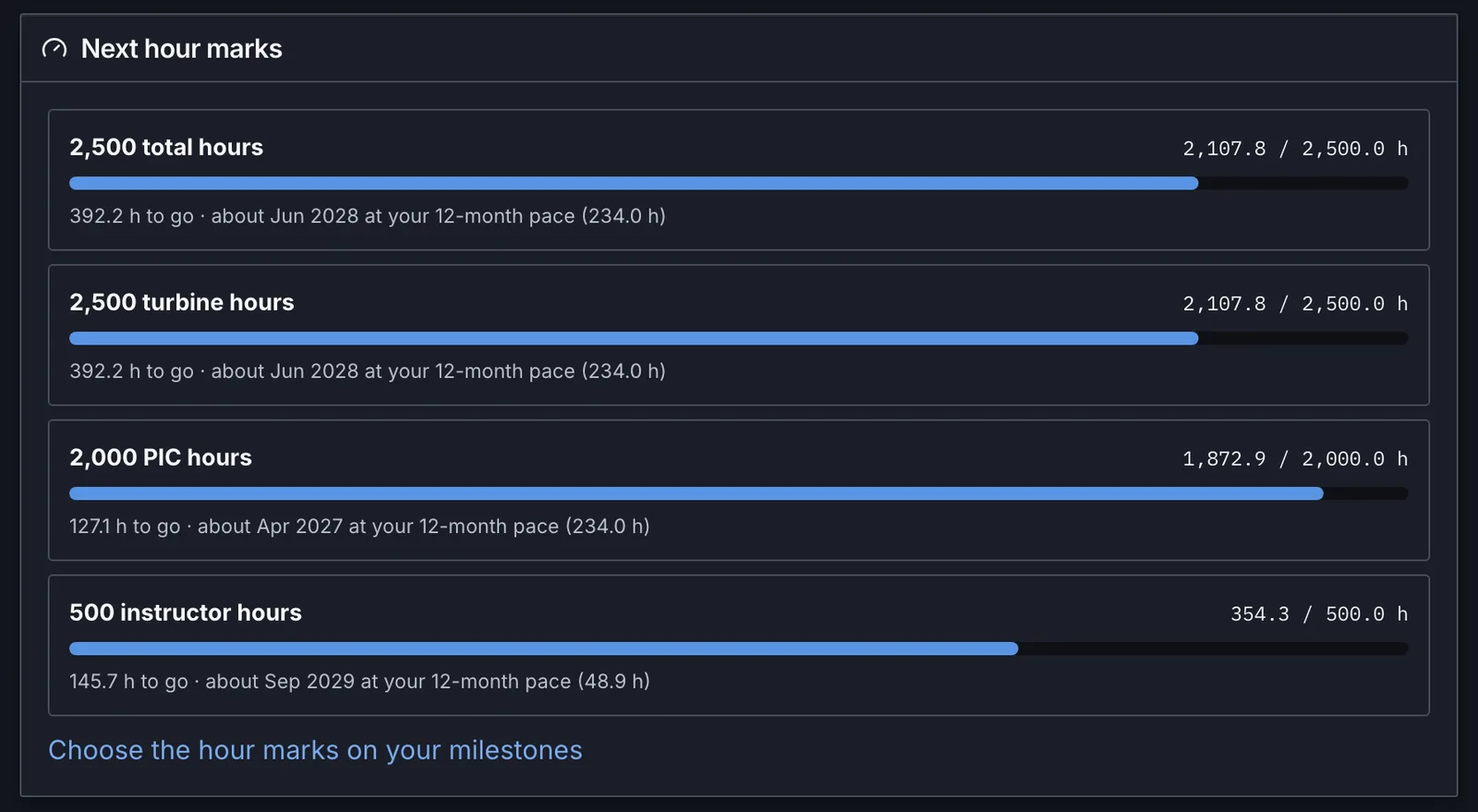
Next hour marks shows how far you are from the next round number in total, turbine, PIC and instructor time, and when you'll get there if you keep flying at your pace from the last 12 months. Handy when an application minimum or an upgrade depends on it.
It prints, too
The same list prints as the aviation career milestones page at the front of your ledger PDF, and you choose which hour marks go on it. If you're putting together an interview binder, the binder guide covers the rest of the front matter. Career is on the web and in the iOS and Android apps.