
Send a recruiter your hours, counted their way
Private links for one recruiter or company, each counted by the rules you pick, with its own expiry date and view count.
Airlines don't all count military time the same way. The number that belongs on one application can be different on the next, and that's normal. It's also a lot to explain in an email to a recruiter.
Private links let you send each recruiter a page of your flying, counted the way their airline asks for it.
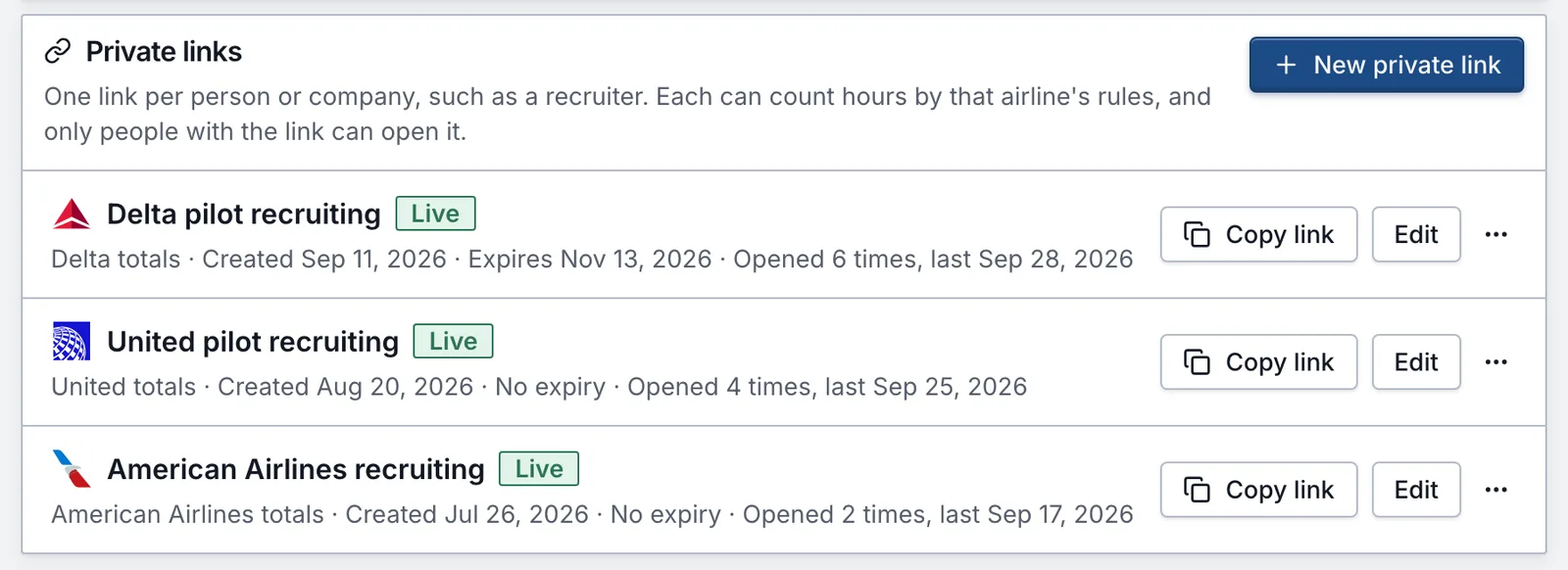
One link per person
Create a link, note who it's for (only you see that note), and pick how its hours are counted:
- As flown: your military time categories, duty codes and sortie counts, with civilian flying in its own section.
- Career totals: military and civilian flying combined into civilian categories, with PIC counted by aircraft command.
- American Airlines, Delta, Southwest or United totals: the same rules as that airline's worksheet in your exports.
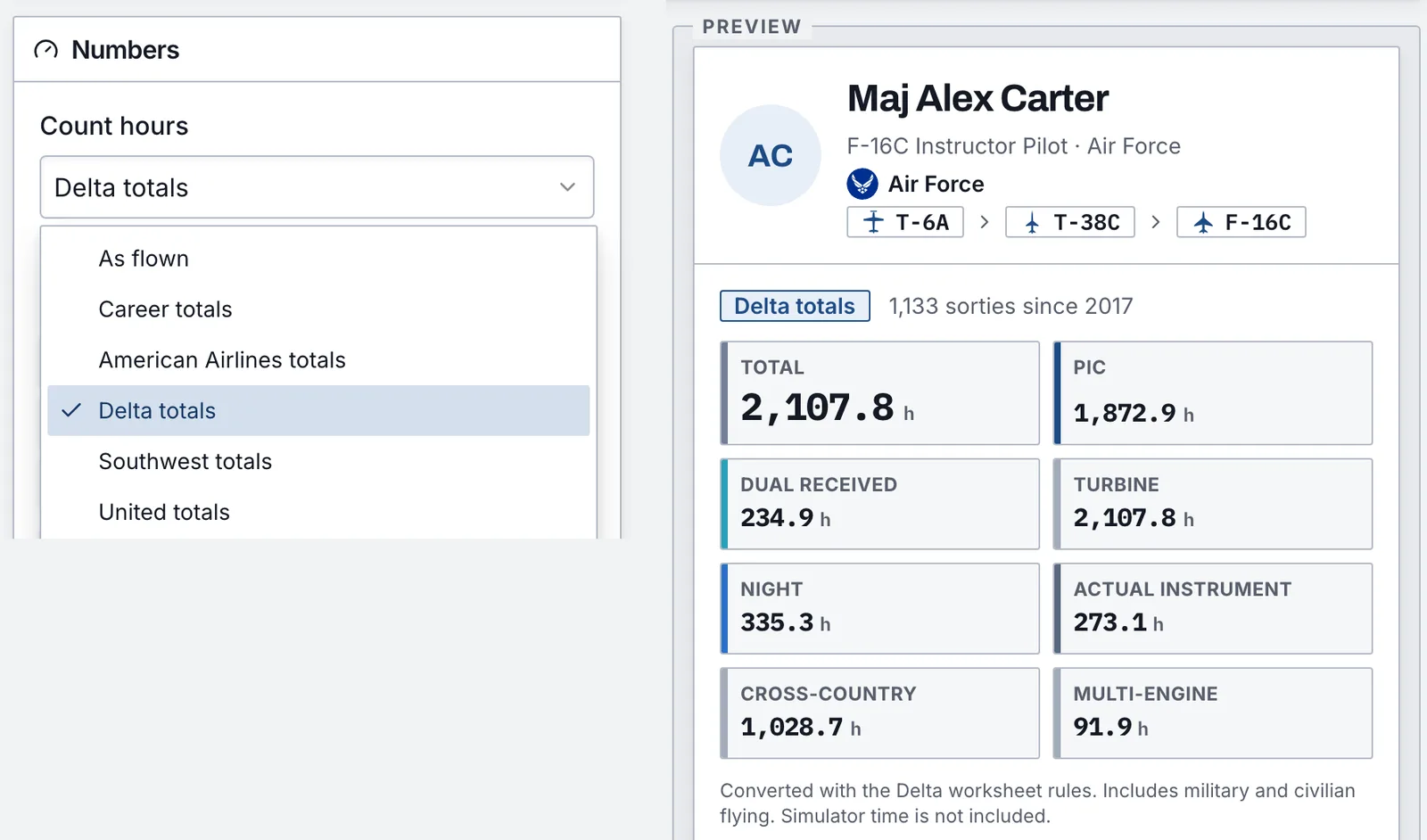
The differences are real. The major airlines ask for Total without Other time, so their links leave it out even if your own logbook view keeps it in. Each page lists how its hours were calculated, so the recruiter doesn't have to guess either.
Private means private
Only people with the link can open it, and search engines leave it out. Like the public profile, it never shows airfields, tail numbers, units, crew or exact dates. Set an expiry date if you want it to close after hiring season, or turn it off yourself anytime.
Know when it's opened
Each link shows how many times it was opened and when. It won't tell you who, because we don't record that.
A preview, not your application
A link helps a recruiter see where you stand. It doesn't replace the application, your logbook, or the records you bring to an interview. For those, use the airline worksheets and the ledger PDF described in export formats. Private links take Pro.