
Before you apply: resolve your logbook's review findings
Work through missing identifiers, overlapping flights and unexplained totals before you copy hours into an airline application.
An overlapping report can count a flight twice. A missing aircraft identifier can leave a perfectly real flight hard to explain. A military career total can include time that your civilian application counts separately. Resolve those questions before you copy the numbers into an application, while the source files and records office are still within reach.
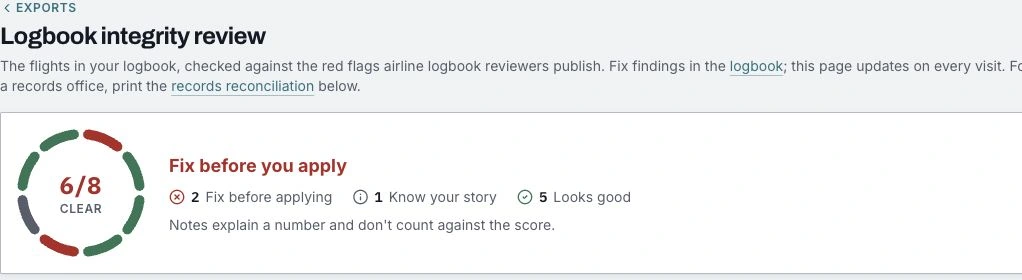
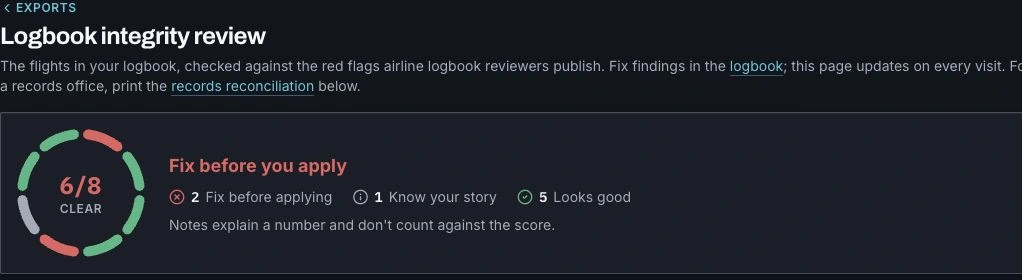
Open Exports → Logbook integrity review in ProvenFlight. The page checks your committed flights, explains what needs attention and links to the affected entries. Findings are advisory: the review helps you inspect your records; the airline's current application and interview instructions remain the authority for what it accepts.
1. Start with the finding, then open the source
Read the detail under each check. Aircraft identifiers, missing routes and unclear routes have links that filter the logbook to the affected flights. Open an entry and compare it with the original record before changing it. A serial, BuNo, side number or N-number identifies an airframe; the aircraft type alone does not.
Fill a blank from evidence. If a record does not establish the value, ask for the missing detail rather than borrowing an identifier or route from a nearby flight. For civilian logging requirements, consult the current 14 CFR 61.51, which specifies the information recorded for the experience covered by that rule.
2. Resolve overlapping flights before reconciling totals
Two records may describe the same flight. They may also describe two separate flights on the same day. Compare their dates, aircraft, routes, durations and source context before deciding. The logbook asks you to answer conflicts rather than silently picking a time value.
When entries agree, a confirmed merge keeps one flight, fills its blanks from the others and moves the extra entries to the recycle bin. Entries whose values disagree still need your choice. Reopen the integrity review after resolving them, then use the revised total for the next comparison.
3. Explain the military-to-civilian difference
A lower civilian total can be correct. The totals bridge starts at the military logbook total and itemizes the changes under your current conversion settings, including simulator, RPA, non-pilot crew time and Other time where applicable. Inspect each nonzero line and the flights behind it. Do not change source hours simply to make the two totals equal.
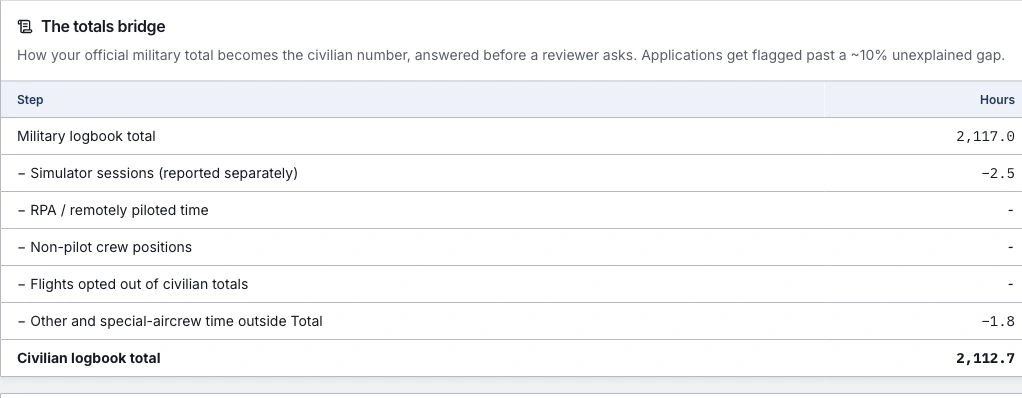
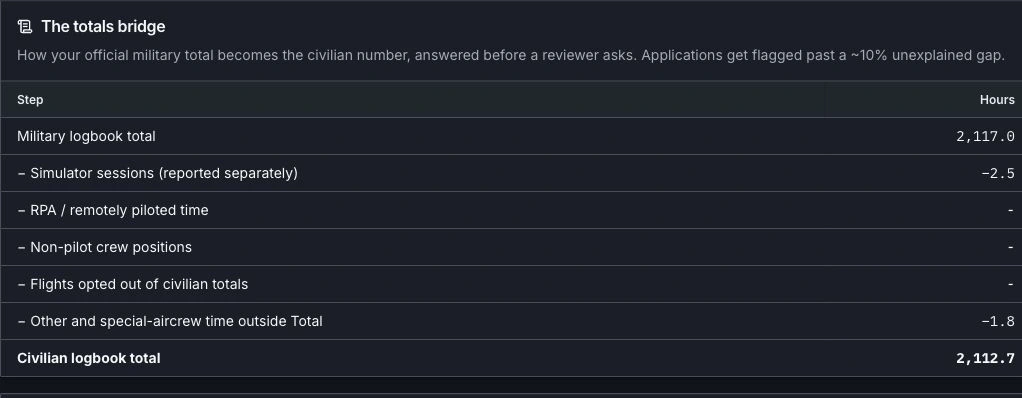
See the civilian totals breakdown guide to inspect the calculation and contributing flights for an individual total. Compare the reviewed detail with the official summary for the same period and aircraft. Keep any documented prior time identifiable and tied to its evidence.
4. Take a focused report to the records office
Records reconciliation appears below the checks. Select the date range you need and use Print / save PDF. The report lists records on file, missing entries shown in another record, conflicting hours, totals against the logbook, duplicate entries and long breaks.
Bring the report with the untouched source documents and a specific request: which entry, which dates and which values need checking. A break can have an ordinary explanation, such as a school or staff tour. A clear result only describes the records you have supplied; it cannot establish that an absent file contains no additional flights.
5. Refresh the application numbers and interview package
Reopen the review after corrections, select the application's counting rules and generate fresh exports. Keep a dated copy of the numbers you actually submitted so later flying and corrections can be explained. A clear score is useful preparation, not a certification of your hours or a guarantee of airline acceptance.
Use the interview binder guide to organize the ledger, methodology and supporting records. The export formats page lists the airline, FAA, spreadsheet and printable views you can prepare from the reviewed logbook.